> ## Documentation Index
> Fetch the complete documentation index at: https://docs.finetunedb.com/llms.txt
> Use this file to discover all available pages before exploring further.

# Visual Function Calling Editor

> Simplify complex function applications with a visual interface, making it easier to apply transformations and data enrichment without code.

## Add Function

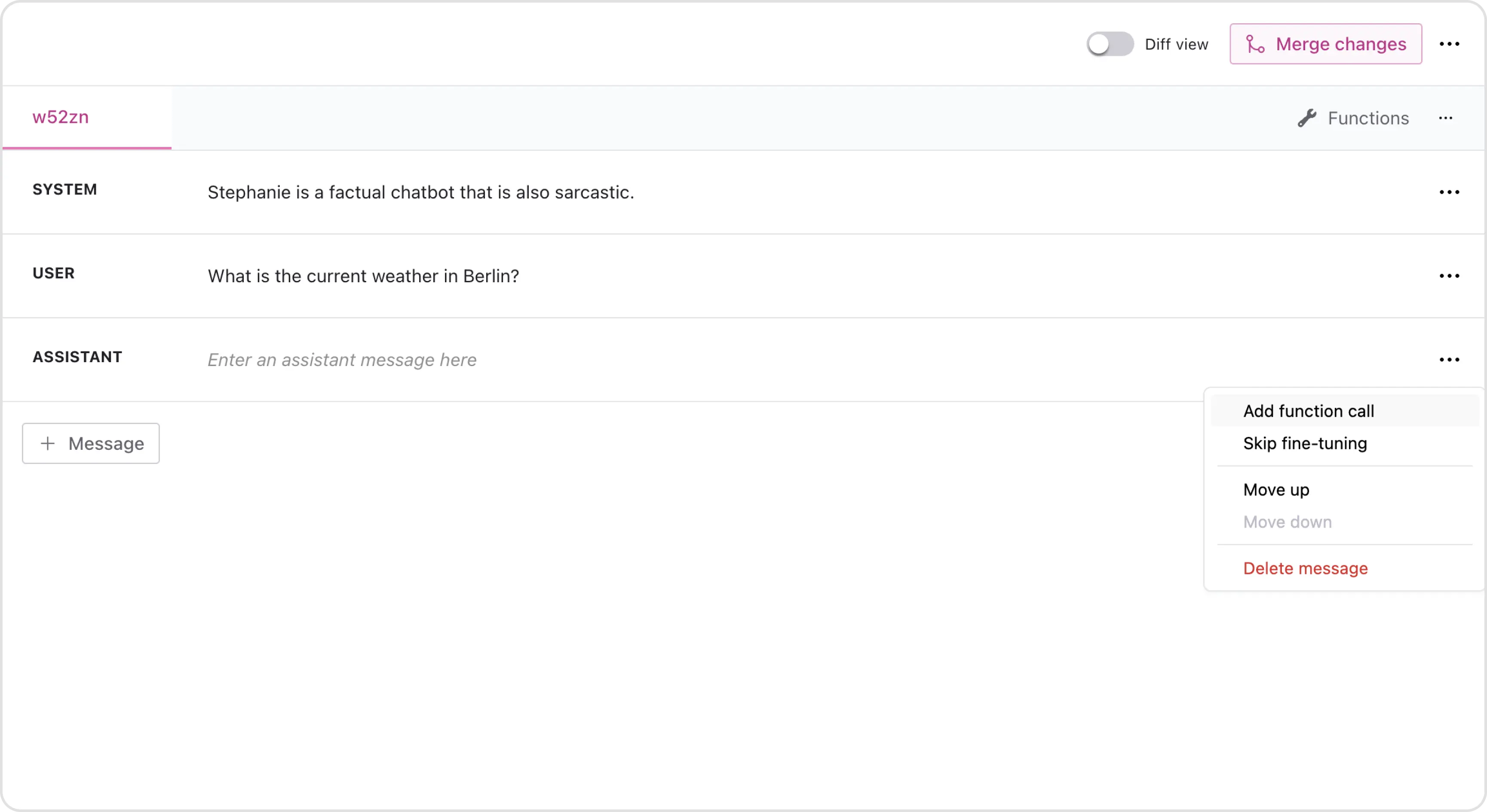
Click on the three dots in a field to add a new function to that field.
<img className="block dark:hidden" src="https://mintcdn.com/finetunedb/bemL8Zj00kYdZwsp/images/add-function-focus.webp?fit=max&auto=format&n=bemL8Zj00kYdZwsp&q=85&s=496dfee9c48ba2fe69e30c4269b8c56d" alt="Hero Light" width="3459" height="1890" data-path="images/add-function-focus.webp" />

<img className="hidden dark:block" src="https://mintcdn.com/finetunedb/bemL8Zj00kYdZwsp/images/add-function-focus.webp?fit=max&auto=format&n=bemL8Zj00kYdZwsp&q=85&s=496dfee9c48ba2fe69e30c4269b8c56d" alt="Hero Dark" width="3459" height="1890" data-path="images/add-function-focus.webp" />

## Create New Function

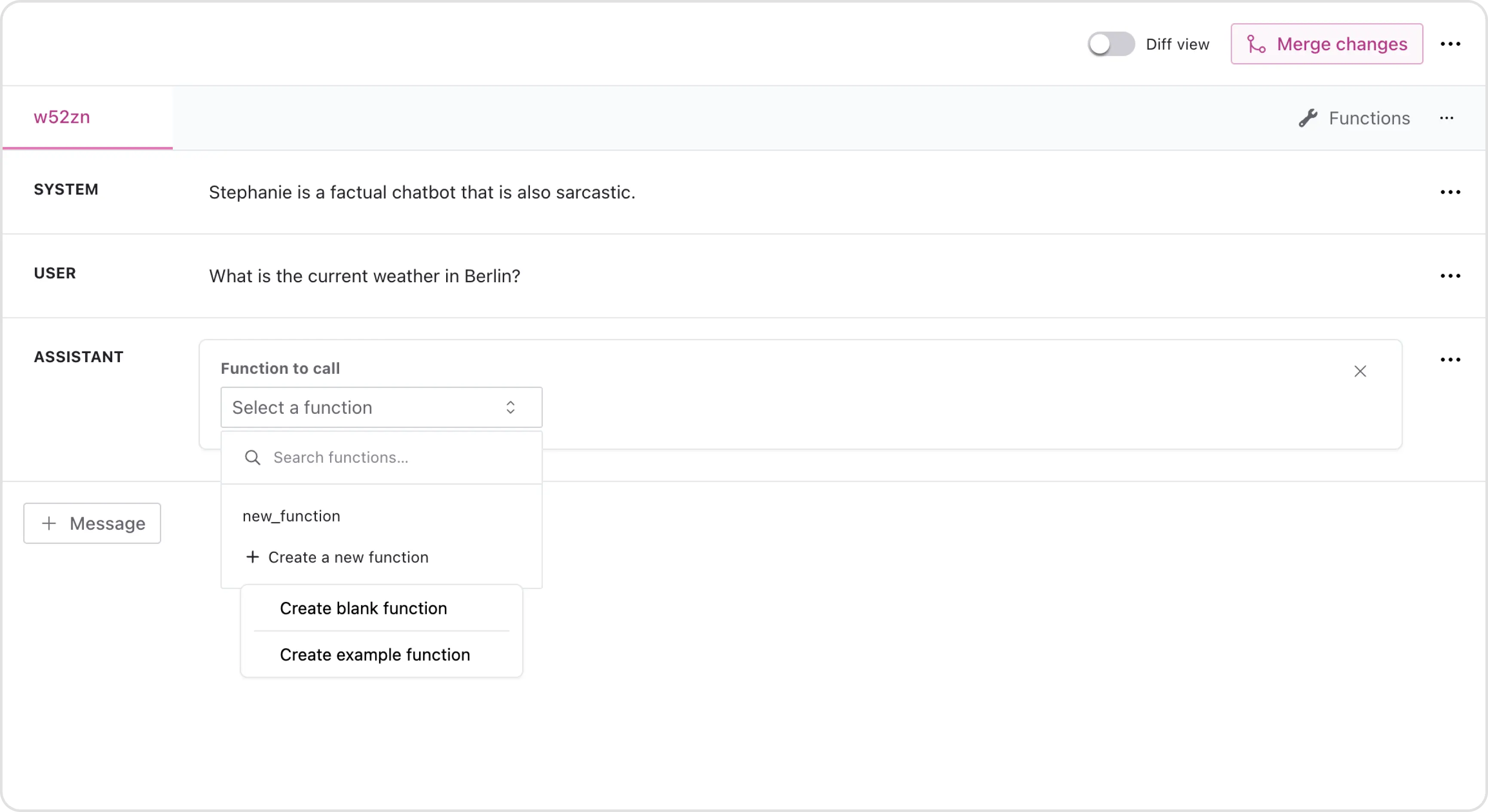
Create a new blank function or start from an example function.
<img className="block dark:hidden" src="https://mintcdn.com/finetunedb/bemL8Zj00kYdZwsp/images/create-function-focus.webp?fit=max&auto=format&n=bemL8Zj00kYdZwsp&q=85&s=27161f0364d27ea77ace0500e96f36d2" alt="Hero Light" width="3462" height="1890" data-path="images/create-function-focus.webp" />

<img className="hidden dark:block" src="https://mintcdn.com/finetunedb/bemL8Zj00kYdZwsp/images/create-function-focus.webp?fit=max&auto=format&n=bemL8Zj00kYdZwsp&q=85&s=27161f0364d27ea77ace0500e96f36d2" alt="Hero Dark" width="3462" height="1890" data-path="images/create-function-focus.webp" />

## Function Editor

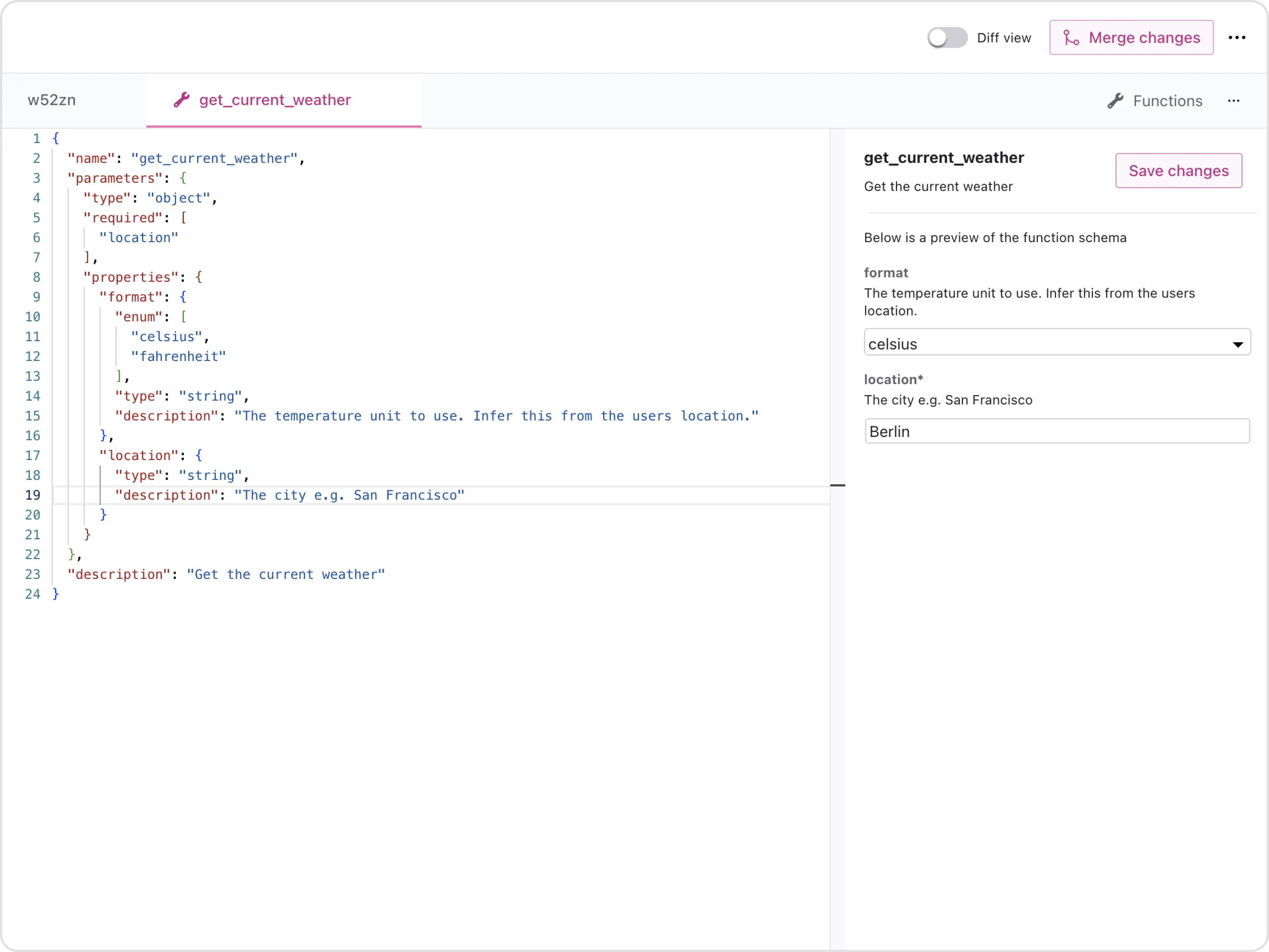
For example, to create a "get current weather" function, write the function code on the left, while the right side displays a preview of the function schema. Once done, click "Save Changes" to save the function.
<img className="block dark:hidden" src="https://mintcdn.com/finetunedb/bemL8Zj00kYdZwsp/images/edit-function-focus.webp?fit=max&auto=format&n=bemL8Zj00kYdZwsp&q=85&s=460c3c228d87131c59d5f5e4c0ff5817" alt="Hero Light" width="3459" height="2595" data-path="images/edit-function-focus.webp" />

<img className="hidden dark:block" src="https://mintcdn.com/finetunedb/bemL8Zj00kYdZwsp/images/edit-function-focus.webp?fit=max&auto=format&n=bemL8Zj00kYdZwsp&q=85&s=460c3c228d87131c59d5f5e4c0ff5817" alt="Hero Dark" width="3459" height="2595" data-path="images/edit-function-focus.webp" />

## Select Function

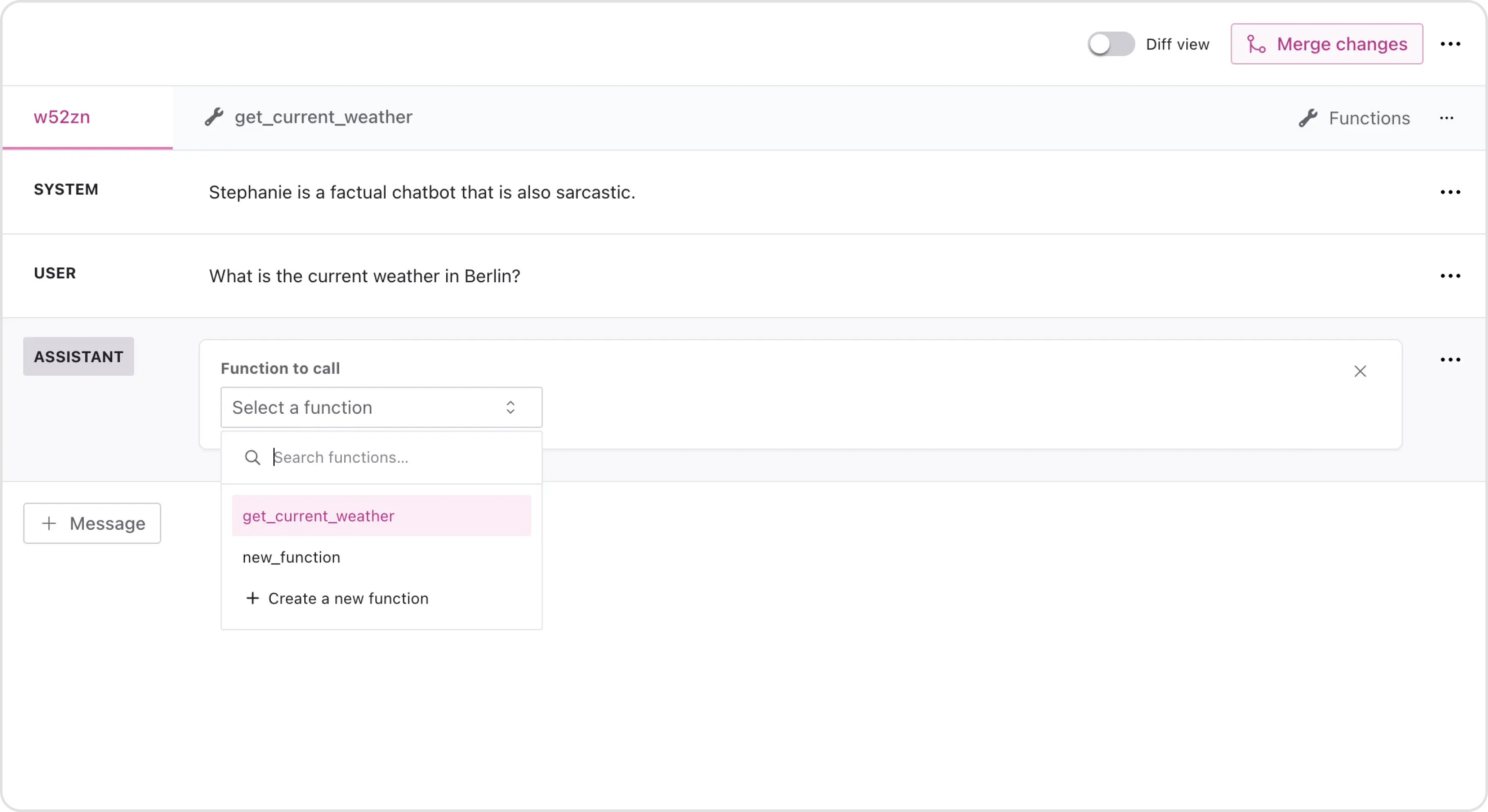
The new funciton is now available for use in your function library. Select the new function from the dropdown menu and add it to your dataset.
<img className="block dark:hidden" src="https://mintcdn.com/finetunedb/GOew8WeHea3P7qhC/images/select-function1-focus.webp?fit=max&auto=format&n=GOew8WeHea3P7qhC&q=85&s=3bd973017df1401205f3f26425a22805" alt="Hero Light" width="3462" height="1890" data-path="images/select-function1-focus.webp" />

<img className="hidden dark:block" src="https://mintcdn.com/finetunedb/GOew8WeHea3P7qhC/images/select-function1-focus.webp?fit=max&auto=format&n=GOew8WeHea3P7qhC&q=85&s=3bd973017df1401205f3f26425a22805" alt="Hero Dark" width="3462" height="1890" data-path="images/select-function1-focus.webp" />

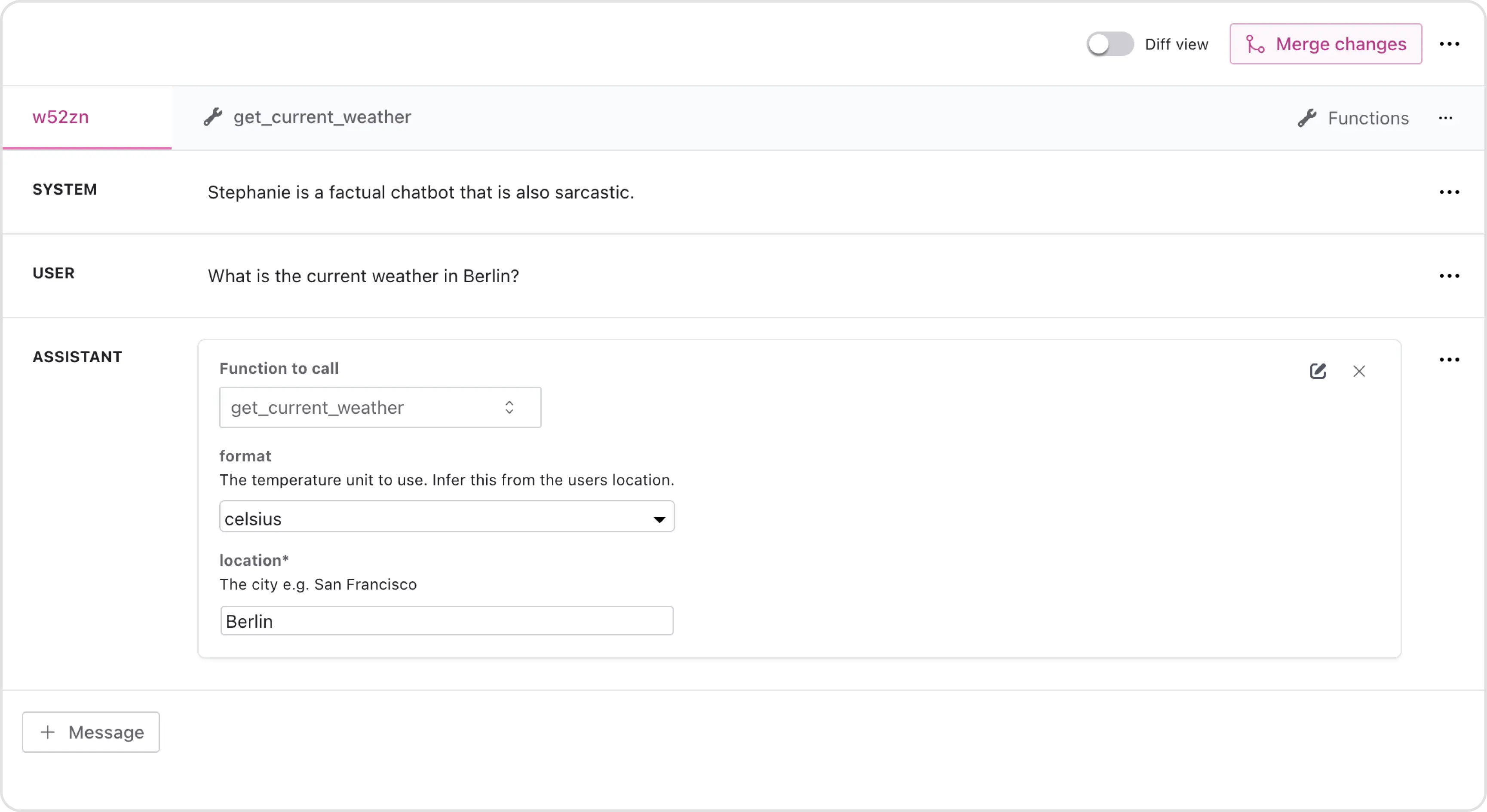
The function is now added to your dataset.
<img className="block dark:hidden" src="https://mintcdn.com/finetunedb/GOew8WeHea3P7qhC/images/select-function2-focus.webp?fit=max&auto=format&n=GOew8WeHea3P7qhC&q=85&s=f791b6e0d7b91054390bf4d773a2c25e" alt="Hero Light" width="3459" height="1890" data-path="images/select-function2-focus.webp" />

<img className="hidden dark:block" src="https://mintcdn.com/finetunedb/GOew8WeHea3P7qhC/images/select-function2-focus.webp?fit=max&auto=format&n=GOew8WeHea3P7qhC&q=85&s=f791b6e0d7b91054390bf4d773a2c25e" alt="Hero Dark" width="3459" height="1890" data-path="images/select-function2-focus.webp" />

Remember to merge the changes to save the newly added function to your dataset.
